
Free Jingles
These aren’t just free, they’re fabulous! IMMusic Inc. has created 71 free jingles that you can use for practically anything you can think of! You could use them for presentations, commercials, collages of student pictures, etc. If you are needing jingles that not everyone else is using (of course lots of people use the free music available in the video making software on your computer), I highly recommend these jingles from IMMusic Inc.
I used 2 of these high quality jingles for this Rhythm Menagerie video. They were perfect!
In addition, If you are a composer and need someone to do background accompaniments for your compositions or orchestrations of something you have written, you’ll want to talk to IMMusic as well. They were the creators of the instrument accompaniment tracks for Returning to the Piano, published by Hal Leonard!
You can follow IMMusic Inc on Twitter and Facebook as well.
Read MoreSurprise Music in Zambia
At NCKP this year, there was a new feature called Ped xi. This session was supposed to mimic the “ideas worth spreading” mantra of the TED talks. Since I love many of the TED talks, I attended these sessions and was inspired by several of the ideas shared. While listening to the 2nd talk by Kristin Shoemaker called “Mud Huts, MIDI, and Light Bulb Moment,” my attention was immediately piqued when I heard my name from the podium! Evidently, there is a student in Zambia Africa who loves to play “Cherokee Lullaby” from the Hal Leonard Pre-staff Piano Recital Showcase series. Kristin showed a video of the young girl named Beauty as she played this piece and it just made my day!
Later, Kristin shared with me that another student named Merel is featured on her website “being creative” with the same piece (click on Photos and Clips). She does a beautiful job of singing, playing, and transforming the 4/4 piece into triple meter. As you know, I’m all about encouraging students to be creative, so this just thrilled me. I’d love for you to listen and see the kind of impact that Kristin is having in Africa.
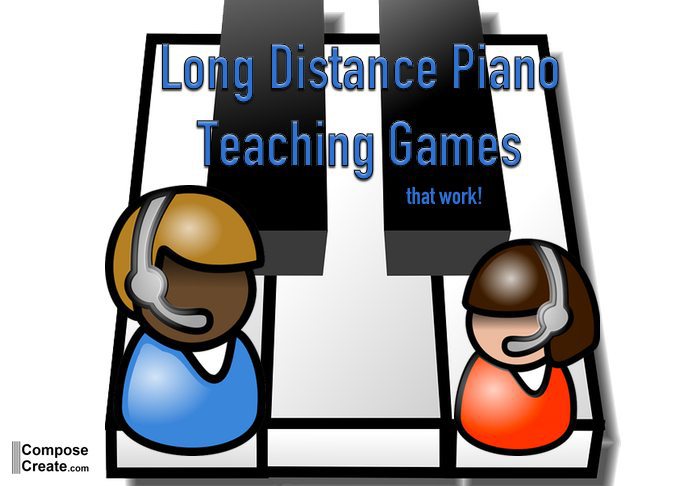
If you think that only tech savvy teachers like Kristin can do this kind of distance teaching, then you would be wrong. Kristin herself admits to not being that tech savvy when she started. Here is a great interview with Robin Pfeiffer about how she does this. I’d encourage you to watch this if you need any encouragement that you too could teach from a distance. If nothing else, distance teaching can allow you to do lessons with your own mildly-sick students or students who don’t come to lessons due to weather issues. I have done phone lessons and Skype lessons with students in the last 2 years and this has greatly helped my students to continue to be faithful in their practice even when their lives might be temporarily disrupted. It is a great time saver and I look forward to using it more and more in the future.
Read MorePlease Update Adobe Reader
Sometimes teachers email and ask why a printout from my site or other site doesn’t print correctly. Many times, this is because the version of Adobe Acrobat Reader is not up-to-date. Do yourself a favor and update your version of Adobe today. It will only take a minute of your time and will result in better printouts for everything on this site!
If you missed yesterday’s post about faster internet browsing, be sure to read it. If you don’t have a tech guru in your family, it’s easy to forget how important it is to update your applications and software. Your browsing, viewing, and printing can all be improved by updating your software or keeping tabs on better software that is available.
I hope this is a help!
Read More
Happier Browsing
I think its high time we had a little talk about better browsing experiences! If you are using Internet Explorer, chances are you experience slow browsing speeds and unsafe browsing session and you may not even know it! I can almost guarantee that if you change your browser to Google Chrome, your experience on most websites, including ComposeCreate.com will be much better.
Why should I change to Google Chrome?
Chrome is designed to be fast in every possible way. It’s fast to start up, fast to search and load web pages, and fast to run all your web apps.- Chrome is built to help you browse more safely and securely on the web. Chrome’s sandboxing, Safe Browsing, and auto-update technologies help protect you against phishing and malware attacks.
- Chrome’s browser window is streamlined, clean and simple. Its combined search and address bar makes it easy to search and navigate the web, all from one box.
- The Chrome Web Store is an online marketplace where you can discover thousands of apps, extensions, and themes for Chrome.
How do I start using Chrome?
Simply download Chrome and follow the install instructions. Most of your questions will be answered as you go through the process.
What about all my bookmarks in Internet Explorer?
Don’t worry, during the set up process, you can tell Chrome to transfer your bookmarks so that you can easily find all your favorite sites.
Happy, or shall I say, Happier Browsing!
Read MoreSight-reading Skills: Developing Your Sense of Touch
by Kevin Costley
There are many times in life that being a fast sight-reader comes in handy. Although I believe sight-reading is a natural talent for some pianists, it is a skill that others have to work hard to achieve.
If you find that you continue to struggle with sight-reading, you might ask yourself the following questions:
“How well do I know the ‘feel’ of the piano?”
“When I shut my eyes, what can I play accurately?”
“What can I find at the keyboard without looking?”
Your answers to these questions may indicate that this is a good time to go back to the basics and get a ‘feel’ for the keyboard. Try doing the following exercises every day for several weeks before you practice your piano repertoire.
1. Good sight-readers know to not look down at their hands while sight-reading. They play both hands by “feel.” Do the following: play all groups of three black keys and groups of two black keys up and down the piano, hand separately, with your eyes closed. Be consistent with your fingering. Be sure to not look at your hands.
2. Now, do the same procedure for the notes CDE (in clusters) and FGABC (in clusters). Be sure to not look at your hands.
3. Are you doing well with Steps 1 and 2? If not, make sure you are centered to the middle of the keyboard. Those who are good sight-readers make sure they are always centered before playing! Every time you sit down at the piano, check your body position!
4. Review the groups of the lines and space notes in both the treble and bass clef. Come up with your own sentence to learn them well; a sentence made up by you will be most meaningful. An example with the treble clef for lines is “Every Good Bear Deserves Fish.” You should then come up with a sentence for the treble clef spaces as well as a bass clef treble and bass clefs. The goal is to say the FIRST LETTERS as quickly as possible (i.e. EGBDF) so that the mnemonic is not needed. When you can say the first letters of these sentences quickly and even name the note on individual lines and spaces without saying the entire set of letters, you will be able to quickly identify and find the note while sight-reading. Mnemonics make learning the lines and spaces more fun, yet the sooner a student can say the first letter of the lines (i.e. e,g,b,d,f) QUICKLY, the better.
5. Before emphasizing rhythms (see #6), look through the entire piece and look at the patterns in intervals, patterns, and melodies. STUDYING THE SCORE IS VITAL before sight-reading the score!
6. Now it is time for an emphasis on rhythms. Practice clapping all rhythms hands separately is a good thing to do; however, play all rhythms hands TOGETHER playing two notes that make harmony (i.e. left hand low C with two finger; right hand E above middle C, two finger). You can use any variation of harmonies you want.
7. Now ignore all rhythms. With both hands together, play ALL NOTES. Get the notes correctly the first time. Play very slowly; be accurate with all notes!
8. Now, look in your piano bench and locate a very easy piece several levels lower than the level you normally work on. Play hands together slowly and evenly, up to tempo. Force yourself to keep going no matter how many notes you may miss. Do not stop even once; keep playing until you finish this very easy piece. (This can be a humbling process!) Do this with many easy pieces until you can gradually play more difficult pieces. (At this point, do not attempt to sight-read at your every day ‘working level.’
9. When you are up to your proficiency level, play (sightread) each piece hands together very SLOWLY and evenly. This takes much concentration! Try your best to not stop or stall. If you do stall, DO NOT return to the beginning of the piece. Begin where you missed the note(s).
10. Keep studying music theory. Theory is vital for all musicians, especially sight-readers.
Even the best sight-readers miss some notes and do not play each and every note. Because of their extensive experience in sight-reading and an overall understanding of chord structures, patterns, etc., accomplished sight-readers get an overall ‘feel’ of where music begins, how it develops and how it ends. Even the best sight-readers learn to keep going. When they know they have missed a note or notes, they never stall; they keep moving forward and put those missed notes out of their minds. Great sight-readers are popular musicians; there are many roles they can fill in the musical world! By following these simple steps on a regular basis, your sight-reading skills more assuredly will improve!
Happy Sightreading!
[Thank you Kevin, for contributing this helpful article on sight-reading!]
Read MoreBasic RSS
A lot of teachers ask me how I have time to follow all the piano teaching blogs and other sites that I do. I admit to them that I really don’t have the time to look at each blog individually, but am able to see and read ALL new posts on these blogs through a tool called RSS. It stands for “really simple sindication” and allows you to see all the new blog posts from your selected group of sites on one page! This is the best way to digest a large volume of information.
If you have a gmail address, RSS is truly, “really simple” allowing you to star items that you like, email posts to others, etc. It would be silly for me to try to explain how to use it when this great post 2010 Guide to Technology: Basic RSS has been written.
After you go through the simple process of setting your RSS reader up, you can add my site to your sites that you follow by clicking on the “Use RSS to read blog posts” link on the right side of every page. You can also just copy and paste this website address: www.composecreate.com into your “Add a subscription” dialogue box that is in your google reader.
Please do yourself a favor and create an RSS reader for yourself. You’ll be amazed at the time you can save and how up-t0-date and inspired you can stay all year!
Read More


Follow Us!